Releasecore2026-07-20
Chat with your robot on Feishu, Telegram, or Slack
Send a message on Feishu, your robot reads it, thinks, and replies — all through your existing team chat.
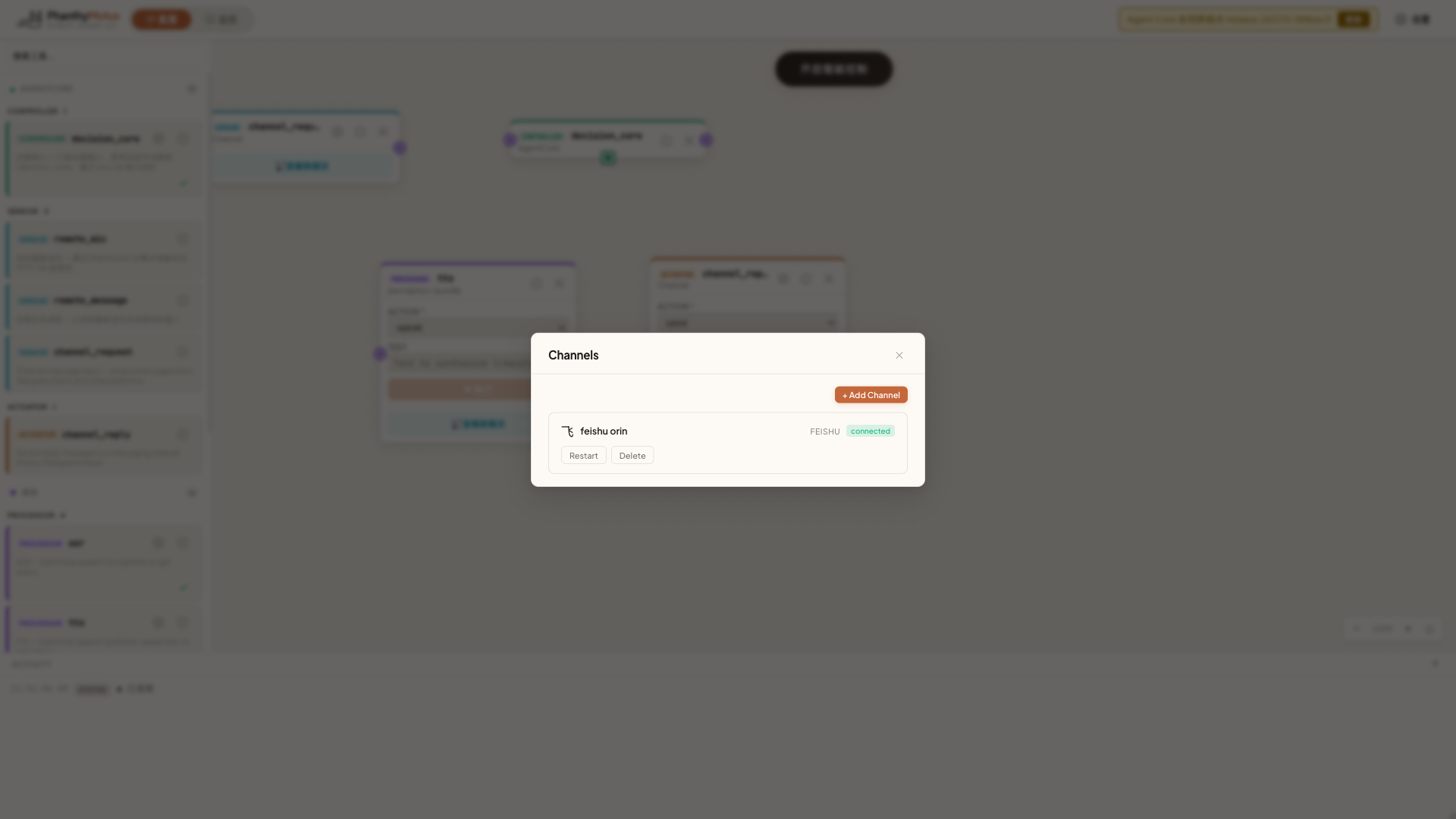
Control Your Robot From Your Favorite Chat App
No need to open the dashboard or remember IP addresses. Just mention the robot in your Feishu group and it responds.
Supported Platforms
- Feishu (Lark) — Real-time bidirectional communication via SDK WebSocket
- Telegram — Webhook mode, great for personal use
- Slack — Webhook adapter, ideal for team collaboration
Setup
- Go to Settings then Channels and add a platform
- Enter your Bot Token or Webhook URL
- Once connected, messages flow into the Agent loop automatically
In Practice
- You send on Feishu: "What is the battery level?"
- The robot queries its battery and replies: "Current battery is 78%, estimated 2 hours remaining."
- You send: "Go to the charging dock" and the robot starts navigating
Canvas Integration
Channels appear on the canvas as channel_request (incoming) and channel_reply (outgoing) cards that can be freely connected to other nodes.