Unitree As2-W wheel-legged robot now supported
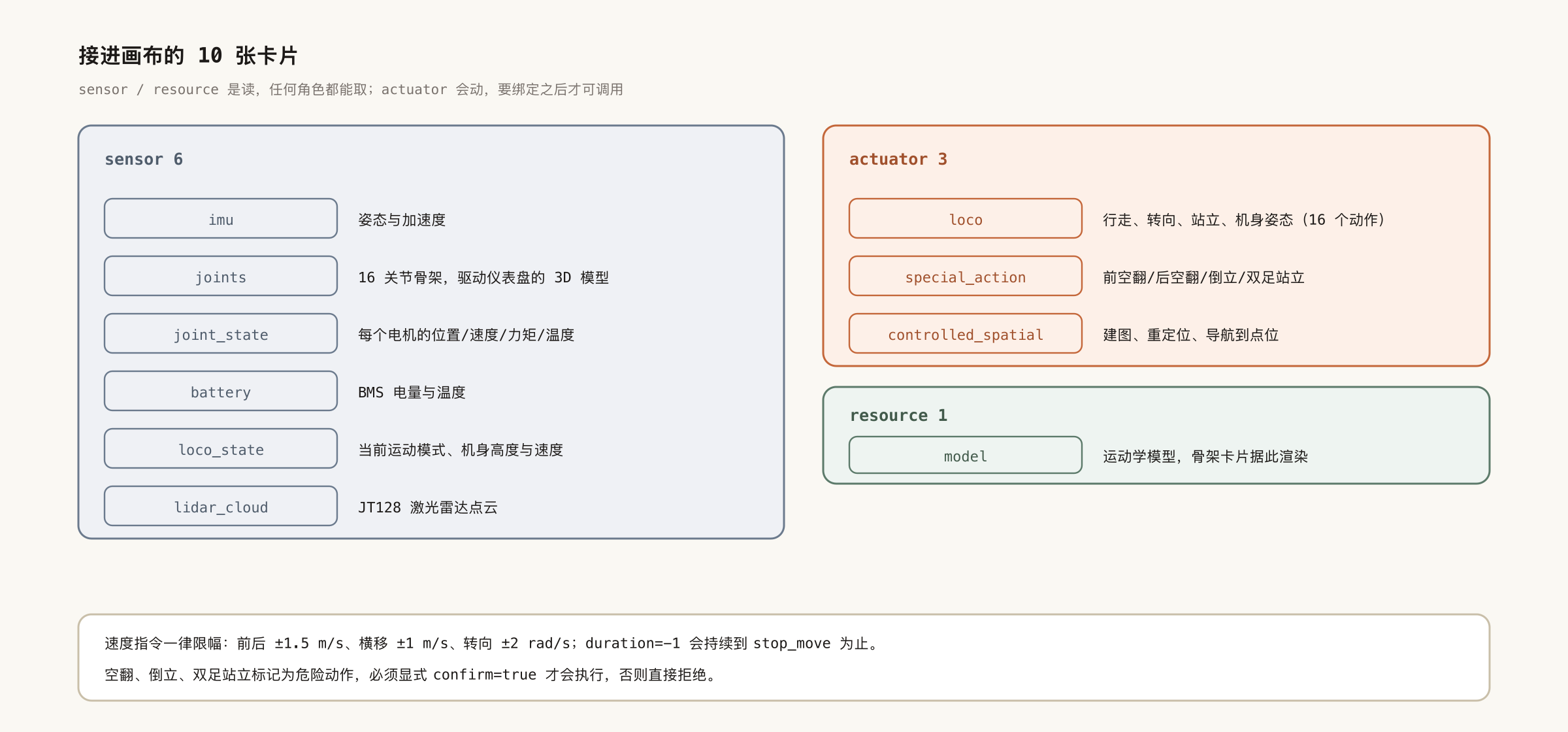
The As2-W joins the platform with 10 MCP cards: locomotion across 16 actions with velocity clamped in the driver, acrobatics behind an explicit confirmation, SLAM mapping and point-goal navigation, a 16-joint skeleton, per-motor telemetry and the JT128 lidar point cloud. If it cannot bind the robot network interface it starts degraded rather than falling back to Wi-Fi.
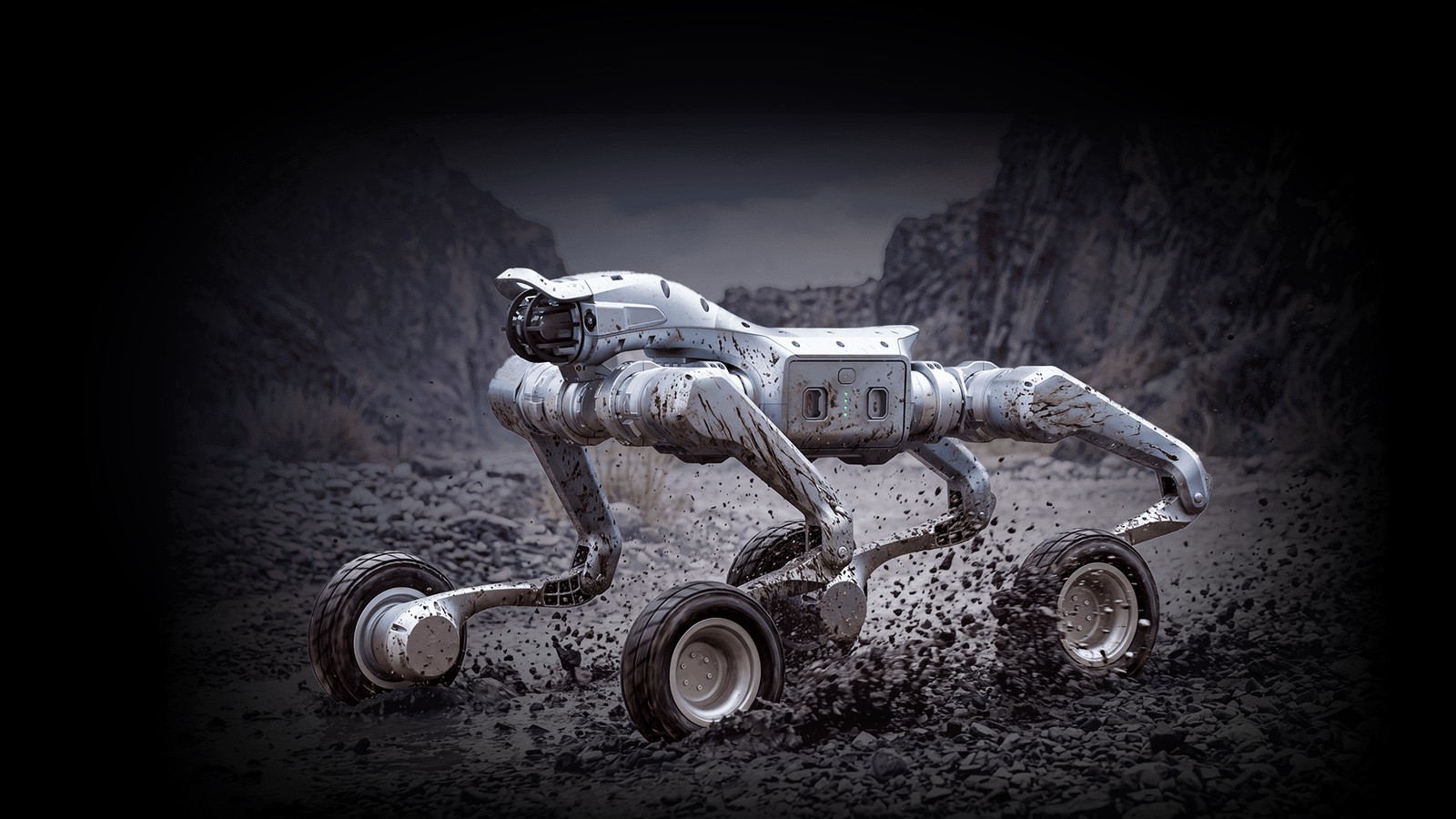
The Unitree As2-W wheel-legged robot joins the platform. Wheels at the end of four legs, so it climbs steps and picks its way over rubble like a quadruped, then simply rolls once the ground is flat.
What you can wire up
Driving it
One loco card covers 16 actions: forward, lateral, turning, stand up, lie down, balance stand, recovery stand, damping, plus body attitude (pitch/roll/yaw), body height, body position offset, speed preset, and left/right side gaits.
Two things are enforced by the driver rather than left to the agent's judgement:
- Velocity is always clamped — ±1.5 m/s forward, ±1 m/s lateral, ±2 rad/s yaw. Out-of-range commands are clipped before they reach the robot.
- Continuous motion must be stopped explicitly —
duration=-1runs a 10 Hz velocity loop untilstop_move. Stopping the card, shutting the driver down, or any other teardown path terminates that loop and issues a stop.
The standing actions (stand up, lie down, balance stand, recovery stand) report through the completion protocol, so the agent does not assume they are done — it waits until the robot is actually standing before moving on.
Flips need confirmation first
special_action offers a front flip, a back flip, a handstand and a biped stand.
The card is marked dangerous, and every one of those actions requires an explicit confirm=true. Without it the driver refuses and returns an error. Make sure the area is clear before you use it.
Sending it somewhere
controlled_spatial drives Unitree's SLAM service:
| Action | What it does |
|---|---|
start_mapping / stop_mapping | Map, saving a PCD point-cloud map on completion |
init_pose | Load an existing map and initialize the current pose |
navigate_to | Navigate to a target pose |
pause_navigation / resume_navigation | Pause and continue |
Navigation also reports through the completion protocol (up to 180 seconds), so "did it arrive" is answered by the robot rather than guessed by the agent.
One prerequisite: this card expects the vendor unitree_slam service to be already running on the robot or its extension host. The driver does not start it.
You can see what it is doing
The joints card streams live angles for all 16 joints — 12 leg joints plus 4 continuous wheel-foot joints — and the dashboard renders a 3D skeleton from them. The kinematic model comes from Unitree's official as2w_description, keeping inertials and joint limits while dropping the bulky mesh files, so no large binaries land in the repository.
Alongside it: joint_state (per-motor position, velocity, torque and temperature), imu, battery, loco_state, and lidar_cloud — the JT128 lidar's point cloud, already rotated into the robot's own frame so it can go straight onto the canvas.
One hard rule about deployment
The driver binds to the robot's internal network interface — normally eth0, the one holding a 192.168.123.x address.
If that interface is missing, or the DDS stack cannot bind to it, the driver starts MCP in a degraded mode rather than falling back to Wi-Fi. That is deliberate: falling back would register a driver that cannot reach the robot at all — it would look healthy while no command ever arrived. Better to say plainly that it could not come up.
Robot communication runs on CycloneDDS domain 0 bound to that interface; the platform-side state streams run on FastDDS domain 42 with the loopback profile. Two DDS stacks, two domains, no interference.
With no hardware on hand, python3 test_driver.py runs the offline checks — action lifecycle, card definitions, model resources and state arrays.