Tell the arm what to move, and it moves it
The RealMan RM75 can now pick and place by sight. Ask it to look at the table and it reports what it sees and where; say which object goes where, and it works out the depth, converts that into arm motion, picks the object up and puts it down. It can also take photos and record video.
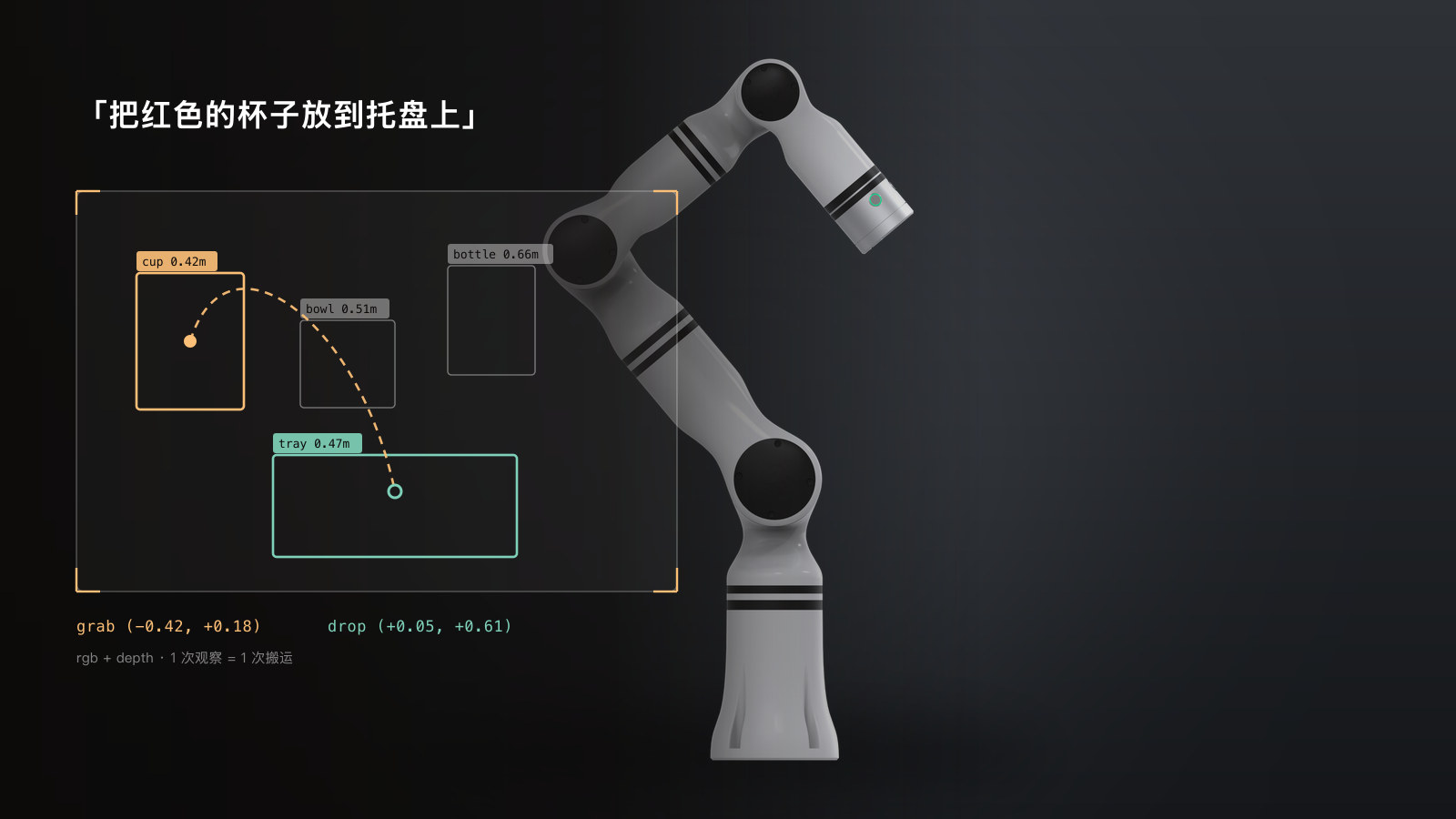
Look first, then act
The flow has two steps, the same way a person would do it:
Look. The arm moves to its observation pose, settles, captures one colour frame and one depth frame, and tells you what it sees and where each thing sits in the frame. It captures only after settling, because a frame taken mid-motion does not line up with where the arm will reach.
Move. You say which object goes where. Positions use frame-relative coordinates — the same convention the vision detection already uses, with the centre as origin, right and down positive. You can also ask for a small nudge given directly in millimetres, and add a rotation angle if the object needs turning.
When it's done, the arm returns to the observation pose. To move a second object you either turn on "take a fresh look after each move", or look again — one observation covers one move, because things have shifted and the old frame no longer holds.
Every move needs confirmation
All three actions require explicit confirmation before they execute. Once confirmed you immediately get an id back; the arm works in the background and reports when it finishes, so nothing blocks in the meantime.
Configurable: motion speed, the joint angles of the observation pose, X/Y offsets, grip force, and how far down to descend when picking and when placing.
Also: photos and video
A new card takes single photos and records silent MP4 clips in the background, saved to a configured directory.
And: the pose is visible on the dashboard
The RM75 now publishes its joint state, so the dashboard shows the arm's current pose directly, with angles given in both degrees and radians.